

Vivo phones are known for slim bodies and strong cameras, and they often charge faster than their price suggests. The trade-off is that the battery lives a busy life. When it starts to fade, the question is what a replacement should cost and how to avoid a poor one. This guide explains the main things that change the price of a Vivo battery replacement and how to choose a part that lasts.
Why Vivo battery prices differ
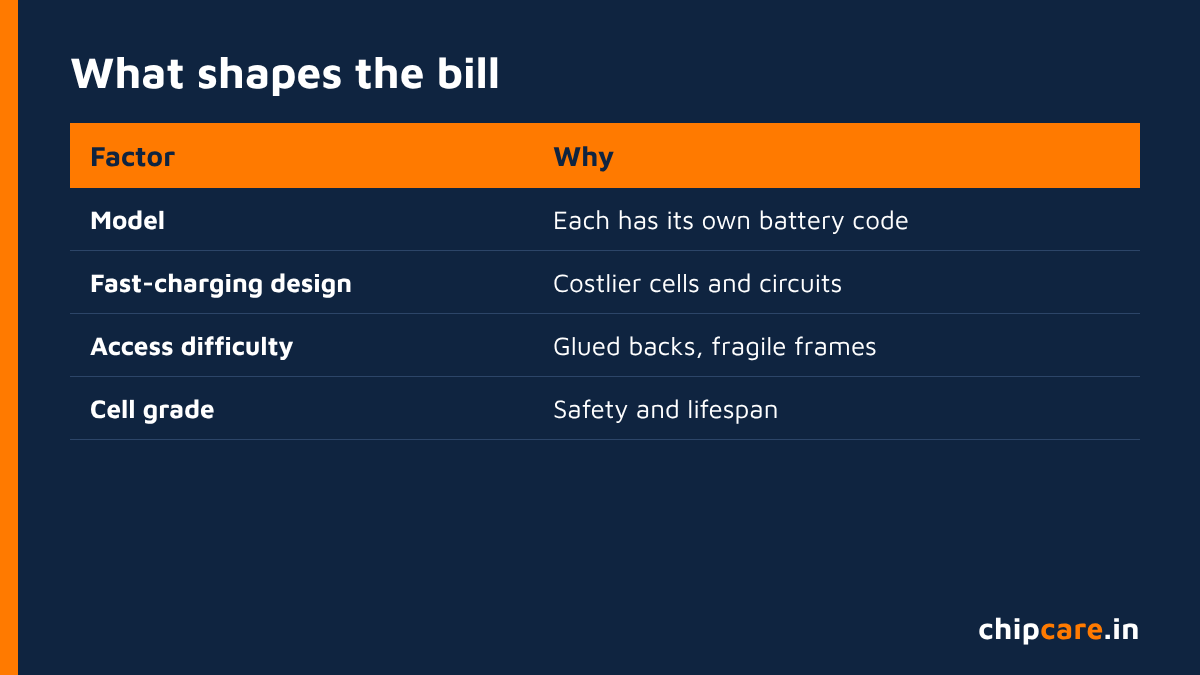
There is no single price for a Vivo battery, because Vivo phones differ widely. A budget Y series phone uses a larger, simpler cell. A slim V or X series phone often uses a more specialised cell and a more complex build. The cost of the part follows that complexity, and the cost of the labour follows how hard the phone is to open.
- Model and capacity. Each model has its own battery, with a specific code and shape.
- Fast-charging design. Some models use a dual-cell arrangement or specific protection circuits for fast charging, which cost more to make.
- Access. Glued backs and fragile frames raise labour and risk.
- Grade. Original-quality cells cost more than generic ones, and the difference shows in safety and longevity.
Our Vivo mobile batteries range is organised by model so you can match the code.
Reading a quote
| What the quote should say | Why it matters |
|---|---|
| Exact phone model | Battery codes differ between near-identical models |
| Battery grade and brand | Decides safety and lifespan |
| Capacity | Should be close to the original rating |
| Warranty length and terms | Shows the seller's confidence |
| Labour and testing included | Confirms the charging circuit is checked |
When you compare two quotes, make sure they describe the same grade. A very low price usually means a generic cell, and that is a poor place to economise. If you are unsure how to spot a poor cell, see how to spot a fake mobile battery.
A battery quote should tell you the code, the grade and the warranty. If it does not, ask.
Signs a Vivo battery has reached the end
The signs are the same across brands: quick drain, early shutdowns, heat, slow charging and swelling. If your Vivo shuts down suddenly at a percentage that looks safe, our guide on phones that shut down at 30 percent explains why. If the percentage behaves strangely, see battery percentage stuck or jumping. For a complete check, use our battery health guide.
How much capacity is enough?
A replacement battery should match the original capacity closely. A slightly different number is normal because different batches vary a little. A large jump is a warning. The page on phone battery mAh explained shows why size, voltage and chemistry limit how much energy a cell can hold. If a seller offers a much larger number for the same size, ask for proof. Real batteries follow the laws of physics, and a battery marketed above them is not real.
Do it at home or in a shop?
Vivo phones vary a lot in how hard they are to open. Some have a simple back panel. Others need heat, picks and careful lifting of the frame. The battery is often held by adhesive tabs, and pulling it out wrongly can puncture it. A shop that fits Vivo batteries regularly will do it quickly and safely, and will test the phone afterwards. If you want to try it yourself, read our home replacement guide and replacing non-removable batteries, and have the right tools ready.
Do not puncture or bend the battery. A damaged lithium cell can overheat or catch fire. If it is already swollen, read swollen battery dangers before touching it.
After the replacement
- Check charging.
Plug in and confirm the phone charges at the expected speed. - Watch the temperature.
The phone should not become hot in normal use. - Confirm the percentage.
Over a day or two, the percentage should fall in a smooth, believable way. - Test everything the repair touched.
Cameras, speakers, sensors and the screen edge should work normally. - Keep the invoice.
You need it for the battery warranty.
The best way to make the new battery last is to avoid heat and extremes. The advice in fast charging vs normal charging and the notes from Battery University apply well here.
Combine with other repairs
If the phone needs a new screen or charging port as well, doing the work together saves labour and avoids opening the phone twice. See our Vivo screen replacement cost guide and the guides to charging port problems and cleaning a charging port. A loose port can mimic battery problems.
Find your Vivo battery
Match the model code, compare grades and check the warranty.
Slim phones and swelling risk
Slim phones leave very little room for a battery to expand. A cell that swells a little in a thicker phone has space to do it. In a slim Vivo, the same swelling quickly pushes on the screen or back cover, and you notice it sooner. That can be useful, because it gives you an early warning. It also means you should not ignore a gap along the edge, a screen that lifts at the corner or a back that no longer sits flat. These are not cosmetic problems. They are the battery asking for attention.
If you see any of those signs, stop charging the phone, remove the case and look at the phone from the side on a flat surface. Do not press the screen to push it back. Take the phone to a technician and say that you suspect a swollen battery, so they handle it with care. If you are curious about the mechanism, the page on thermal runaway explains what happens when a stressed lithium cell heats itself.
The simplest prevention is the one that applies to every phone. Use a good charger, keep the phone cool, replace an old battery before it fails and never keep using a battery that has started to swell.
Frequently asked questions
How much does a Vivo battery replacement cost?
It depends on the model, the battery grade and the labour. Budget phones usually cost less than slim, fast-charging models. Ask for a quote that names the grade and warranty.
Why do Vivo battery prices vary so much?
Different models use different cells and builds, and the quality of the cell and the difficulty of opening the phone both change the price.
Is a high-capacity replacement battery better?
Not if the number is unrealistic. A battery with much higher capacity than the original in the same size is usually mislabelled. Choose a capacity close to the original.
Can I replace a Vivo battery myself?
On some models, with care. Many have glued backs and adhesive tabs, which raise the risk. If unsure, use a professional.
How do I know the replacement is genuine quality?
Look for a matching model code, clear printing, a protection circuit, a realistic capacity and a written warranty. Be wary of very low prices.
What should I do with the old battery?
Do not throw it in the bin. Give it to the repair shop or an authorised collection point. See our disposal guide for India.


