


The phone says 54 percent. A minute later it says 41. Then it sits at 1 percent for twenty minutes, or jumps to 100 the moment you plug it in. A battery percentage that stops making sense is more than a cosmetic glitch. It makes planning your day hard, and it can be an early sign of a failing battery. This guide explains why the percentage misbehaves, how to tell a software glitch from a worn battery and what to do about each.
How the percentage is calculated
A phone does not read the battery like a fuel gauge reads a tank. It estimates what is left by measuring voltage, current and temperature and applying a model of the battery. A chip, often called a fuel gauge, does this work. When the battery is new, the model is accurate. As the battery ages, its behaviour changes, and the model slowly falls out of step. The result is a percentage that drops too fast, sticks or jumps.
That is also why a software update, a repair or a new battery can change the reading. For the battery chemistry behind this, see the page on lithium-ion batteries.
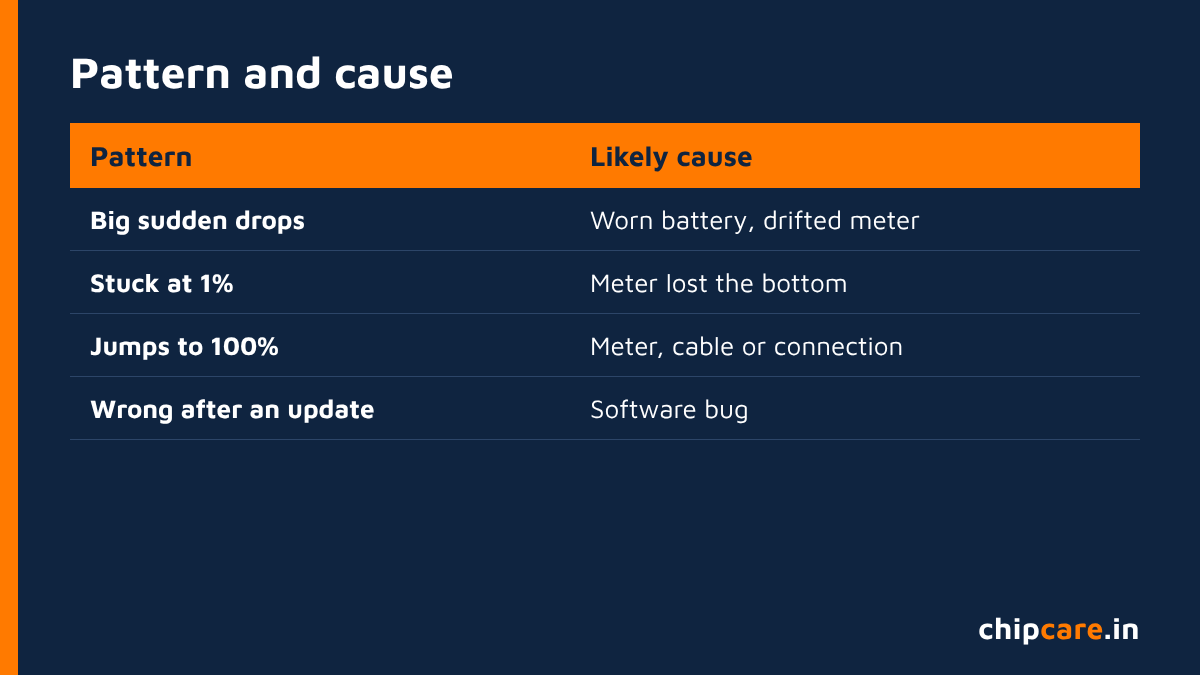
What each pattern usually means
| Pattern | Likely cause | What to do |
|---|---|---|
| Drops in big steps (for example 40 to 25) | Worn battery or drifted meter | Check battery health; consider replacement |
| Stuck at 1 percent for a long time | Meter lost the bottom of the range | Let it run down and charge fully once; update |
| Jumps to 100 when plugged in | Inaccurate meter or poor connection | Try another charger and cable; update |
| Stuck at one value while charging | Charging fault, port or battery | Check the port and cable; see charging guides |
| Wrong after a repair | New battery needs to settle, or a faulty part | Let it complete a cycle; test the part |
| Wrong after an update | Software bug | Install the next update; restart |
If the percentage behaves oddly and the phone also drains fast or shuts down, the battery is the likely cause, not the software.
Step-by-step: from easy to definitive
- Restart and update.
Install any pending system update. Many percentage bugs are fixed this way. - Try another charger and cable.
A poor cable or adapter can cause stalling and jumps. See phone not charging fixes. - Check the port.
Lint or damage can interrupt charging. Our guides to cleaning a phone charging port and charging port problems explain how. - Do one complete cycle.
Use the phone down to around 5 to 10 percent, then charge uninterrupted to 100 percent and restart. This lets the meter re-learn the range. It is not a cure, and our guide to battery calibration: myth or fact explains its limits. - Look at battery health.
If your phone offers a battery health screen, check it. See checking phone battery health. - Replace the battery.
If the odd readings continue and the battery is old, a new one is the answer.
The after-repair effect
A new battery can show odd percentages for a day or two while the meter learns the cell. This is normal. Use the phone as usual and complete one or two normal charges. If the reading is still wrong after that, the cause may be a mismatched battery, a bad connector or a software issue. Ask the shop to test it. If the battery was a bargain-bin cell, it may also be a poor-quality part, and our guide to how to spot a fake mobile battery explains what to look for.
When odd readings signal a bigger problem
Most percentage glitches are harmless, but some are warnings. Take the phone to a technician if the percentage glitches come with any of these.
- The phone gets hot while idle or charging.
- The back cover is lifting, or the screen is bulging.
- The phone shuts down with charge left. See phones that shut down at 30 percent.
- The phone was dropped or wet recently. See what to do after water damage.
- The charging port feels loose or the cable only works at an angle.
If the battery is swollen, stop charging and using the phone. Read swollen battery dangers and have the battery replaced.
Choosing a replacement
When you replace the battery, match the model code and choose a realistic capacity. Browse our mobile phone batteries and read how to find the right phone battery model number for help with the codes. For why a big claimed capacity is a warning, see mAh explained. If you plan to fit it yourself, the steps are in our home battery replacement guide. For good habits afterwards, the advice from Battery University is a reliable reference.
Fix an unreliable battery meter
If the battery is the cause, a quality replacement fixes it. Match your model and compare grades.
Software settings that can confuse the meter
Some settings change how the percentage is shown or used. Adaptive or optimised charging may hold the battery at a lower level overnight, which can look like the percentage is stuck. A power-saving mode can cut performance and change the reading. A battery-percentage display in the status bar may use a rounded figure. Check these before you decide the meter is faulty. If your phone has a feature that limits charging to a set level, a reading of 80 or 85 percent on the charger is expected, not a fault.
Another cause is a charger that cannot deliver enough current while the phone is in use. The phone may draw more than the charger supplies, so the percentage falls even while it is plugged in. That is not a faulty battery. It is a weak charger, which a certified adapter from our mobile phone adapters range will fix. Try the phone with a stronger charger and see whether the behaviour changes.
Frequently asked questions
Why does my battery percentage drop suddenly?
Usually because the battery is worn or the meter has drifted out of step. Cold weather and software bugs can also cause it. Check battery health and update the phone.
Why is my phone stuck at 1 percent?
The meter may have lost track of the bottom of the range, or the battery is weak. A complete charge cycle and a software update can help, but a worn battery needs replacing.
Why does the percentage jump to 100 when I plug in?
It can be an inaccurate meter, a poor cable or a connection fault. Try another charger and cable and clean the port.
Will a factory reset fix a wrong percentage?
Only if it is a software problem. Back up first. If the problem remains after a reset, the cause is hardware, usually the battery.
Is the wrong reading dangerous?
The reading itself is not, but it can accompany a failing battery. If the phone is hot, swollen or shuts down suddenly, have it checked.
Should I replace the battery?
If the phone is old, drains quickly or shuts down early and the odd readings continue after the basic fixes, yes. A quality replacement usually fixes it.


