


A phone that crawls from ten to fifty percent in an hour is not broken in the dramatic sense, but it is certainly not right. Slow charging has more causes than most people expect, and many are free to fix. The charger might be too weak, the cable might be worn, the port might be full of lint, the phone might be hot or a background app might be using as much power as the charger supplies. This guide helps you work through the causes methodically, so that you replace only what actually needs replacing.
Define "slow" first
Charging speed depends on the phone, the charger and the battery level. A phone charges fastest when the battery is low and slows down as it approaches full, so the last twenty percent always takes longer. A phone connected to a one-watt computer port will take many hours, while the same phone on its original adapter may charge in an hour or two. Before you hunt for a fault, check that you are comparing like with like. Charge from a low level with the screen off, using the original adapter, and time how long ten minutes adds. If the gain is far less than before, there is a real problem. Our guide on fast charging not working explains the fast-charging chain in detail.
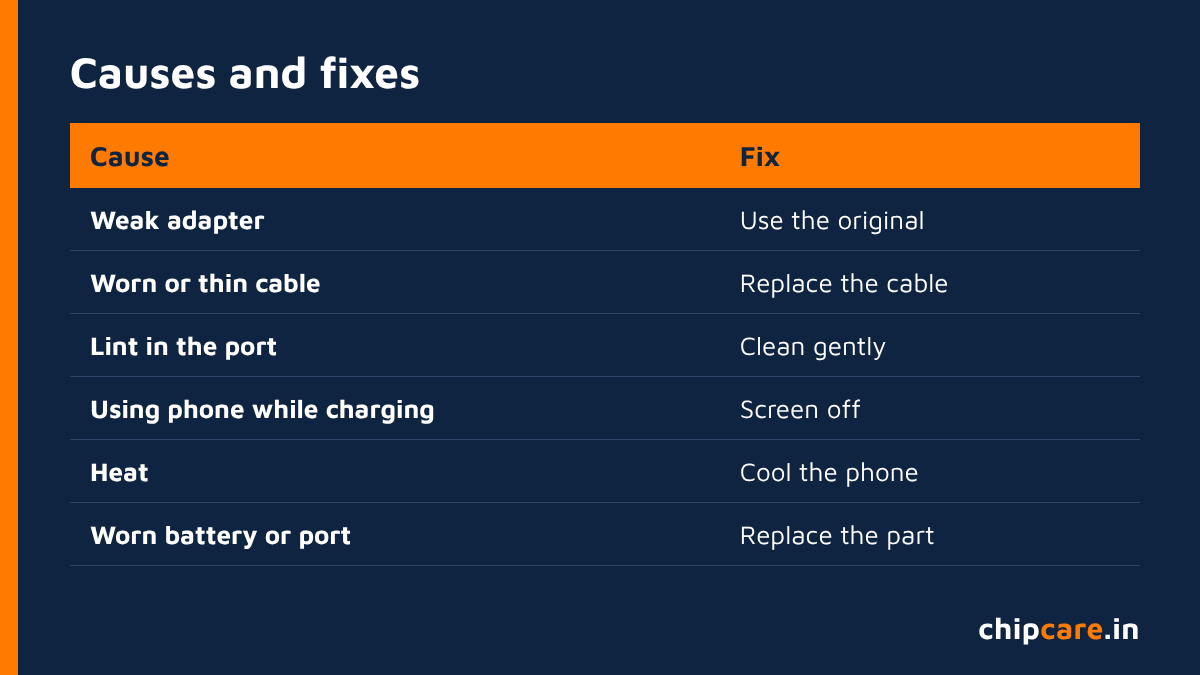
Causes and fixes
| Cause | How to spot it | Fix |
|---|---|---|
| Weak adapter | Low-power adapter or computer port | Use the original or a suitable adapter |
| Worn or thin cable | Slow with one cable, faster with another | Replace the cable |
| Lint in the port | Plug loose, intermittent charging | Clean gently |
| Phone in use while charging | Screen on, games, navigation | Charge with the screen off |
| Heat | Phone is hot, case is thick | Cool the phone, remove the case |
| Wireless charging losses | Slower than wired, warm | Use wired charging when you need speed |
| Worn battery | Drains fast, shuts down early | Replace the battery |
| Worn port | Charges only at an angle | Replace the port |
Charging with the screen on and a game running can use nearly as much power as the charger supplies. Switch off the screen and compare.
Step by step: finding the cause
- Use the original adapter and cable.
Plug into a wall socket, not an extension board or a computer. - Switch off the screen.
Do a ten-minute test with the screen off and no apps running. - Swap the cable.
Try another cable. Thin or old cables are a very common cause. - Swap the adapter.
Try an adapter that supports your phone's charging standard. - Clean the port.
With the phone off, lift lint with a wooden toothpick. See how to clean a phone charging port. - Cool the phone.
Remove the case and keep the phone out of the sun. - Check background activity.
In battery settings, look for apps with high usage. Close or uninstall them. - Update and restart.
Install updates and restart the phone.
When the battery or port is the cause
If everything above is fine and charging is still slow, suspect the battery or the port. A worn battery cannot accept a high current, and it also drains quickly and may shut down at moderate levels. A worn port gives an unreliable connection, which slows charging and makes it intermittent. A technician can test both. See when to replace a phone battery, a phone that shuts down at 30 percent and phone charges only when the cable is wiggled. You can browse mobile phone batteries and charging ports by model.
Do not ignore heat. A phone that gets very hot while charging should not be left unattended. Unplug it and read phone heating while charging.
Common mistakes
- Using a low-power adapter, such as an old one from a different device.
- Charging from a laptop port and expecting speed.
- Replacing the battery when the cable was the problem.
- Using the phone heavily while it charges.
- Leaving the phone in a hot case or in the sun.
- Buying the cheapest cable, which often has thin wires.
Getting the best charging speed
- Use the adapter and cable that came with the phone, or reputable replacements.
- Charge with the screen off when you need speed.
- Do not charge in a hot room or inside a thick case.
- Keep the port clean.
- Replace worn cables, and do not coil them tightly around the adapter.
Our guide on how to choose the best charger for your Android phone explains what to look for in an adapter, and the power bank buying guide covers charging on the move.
For background on how lithium batteries charge, see the page on the lithium-ion battery.
What to ask a technician
- Can you measure the charging current with the original adapter and cable?
- Is the slowdown coming from the port, the cable or the battery?
- Can you test the battery's capacity and its behaviour under load?
- If the battery needs replacing, which grade will you fit and what warranty applies?
A technician with a power meter and a battery tester can answer these in a few minutes. It is worth paying a small diagnosis fee for a clear answer, because it prevents you from replacing parts at random. If a shop quotes a battery replacement without testing, or a port replacement without checking the cable, take that as a reason to get another opinion.
When you collect the phone, repeat your ten-minute test at home with the same adapter and cable, and compare it with your earlier result. A clear improvement confirms that the repair worked. If not, go back with your figures, which will make the conversation much more productive than a vague complaint.
Finally, remember that charging speed naturally falls a little as a battery ages, even in a healthy phone. A small slowdown after two or three years is normal. A big, sudden drop is the signal to investigate.
Keep a small log for a week: note the charger used, the time taken from a low level to full and the room temperature. Patterns such as slow charging only with one cable, or only in a hot room, point straight to the cause and save you the cost of replacing parts that were fine. Bring the log to a technician if the problem remains, because it shortens the diagnosis.
Frequently asked questions
Why is my phone charging so slowly?
Common causes are a weak adapter, a worn cable, lint in the port, heavy use while charging, heat or a worn battery.
Does using the phone slow charging?
Yes. Games, video and navigation draw power while charging, so the battery gains less. Switch off the screen for speed.
Is wireless charging slower?
Usually, yes. It loses some power as heat, so wired charging is faster.
How do I know the cable is the problem?
Try another good cable. If charging is faster, replace the old cable.
When should I replace the battery?
If charging is slow, the battery drains quickly and the phone shuts down early, even with good chargers, the battery is probably worn.
Does charging slow near full?
Yes. Phones slow down at the end of charging to protect the battery. This is normal.


