


Poco phones are popular because they pack strong hardware at sensible prices, and that popularity means a steady stream of cracked screens. If you own a Poco X, M or F series phone, the replacement screen is likely the most expensive repair you will face, and the quotes you get can look very different from shop to shop. The gap is rarely random. It comes from the panel type, the grade of the part, whether the frame is included and how careful the repair is. This guide explains each factor so you can compare quotes properly and avoid paying for the wrong thing.
Why Poco screens differ so much between models
Poco sells several series, and each series is built to a different budget. Some models use an AMOLED panel with an in-display fingerprint reader, while others use an LCD with a side-mounted reader. A replacement for an AMOLED model is a different, usually more expensive part than one for an LCD model. Two phones that look nearly identical on the shelf can need very different screens, which is why the model number matters more than the series name. You can read the number in Settings under About phone, or on the box.
The refresh rate also varies. A phone sold with a high refresh-rate panel needs a replacement that supports it, otherwise scrolling will feel slower than before the repair. Ask the technician to confirm that the replacement matches the original refresh rate, and look for a smooth feel when you scroll after the repair.
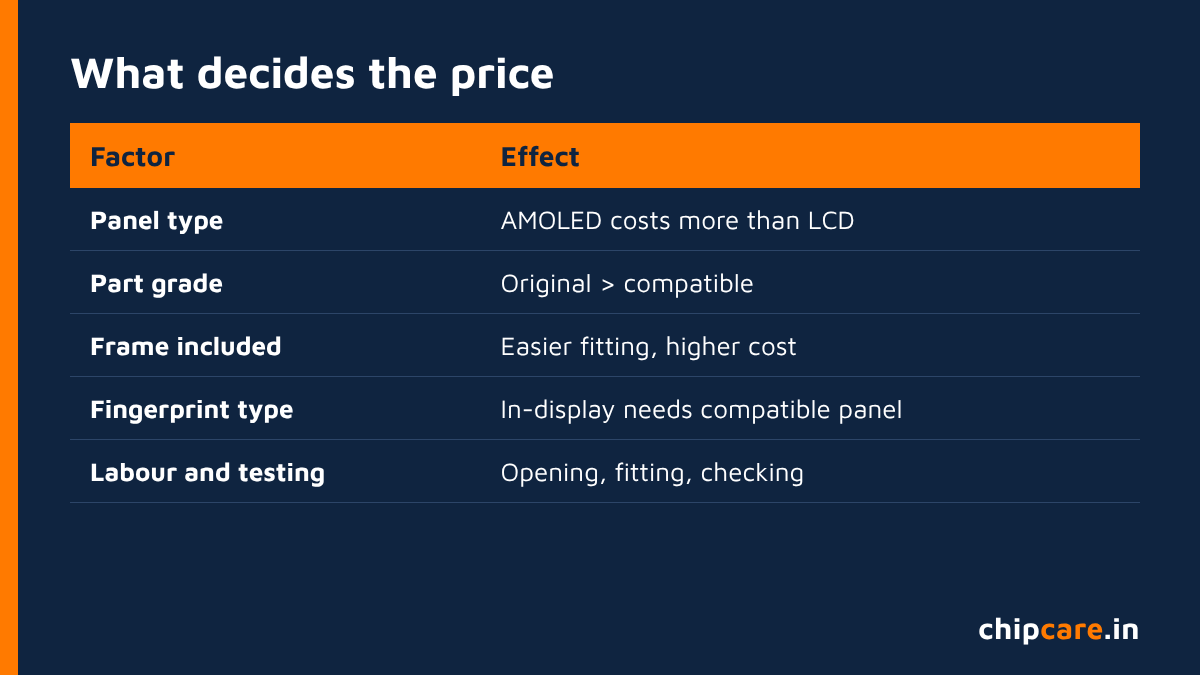
What decides the price
| Factor | How it changes the cost |
|---|---|
| Panel type | AMOLED assemblies cost more than LCD ones |
| Part grade | Original or high-grade parts cost more than standard compatible parts |
| With or without frame | Parts with a frame are easier to fit but cost more than bare panels |
| Fingerprint type | In-display readers need a compatible panel |
| Model age | Newer models have costlier parts, older ones can be hard to source |
| Labour and testing | Opening, cleaning the old adhesive, fitting and testing |
Two Poco quotes are only comparable if they name the same panel type and grade.
Grades you will be offered
Most shops offer a few grades, and each suits a different buyer. An original or service-pack screen matches the factory picture and touch, and it is the safest choice for a phone you plan to keep for years. A high-grade compatible screen can come close in colour and brightness at a lower cost. A basic compatible screen is the cheapest, and it can show a slight colour difference, lower peak brightness or a thicker bezel. For a deeper look at how grades differ, read our guide to original vs OEM vs compatible spare parts, and for the display technologies themselves see OLED vs LCD vs AMOLED.
How to get a fair quote
- Know your model number.
Open Settings, then About phone, and note the full model number. Poco names are shared between several versions. - Ask which panel type will be fitted.
The answer should say AMOLED or LCD and name the grade. - Ask whether the frame is included.
A screen with a frame is easier to fit and tends to sit better in the housing. - Ask what will be tested.
Touch across the full surface, colour, brightness, fingerprint and proximity sensor should all be checked before the phone is sealed. - Ask for the warranty in writing.
A short note on the job sheet is enough. It should say what is covered and for how long. - Compare two or three quotes.
Compare like with like, using the grade and panel type, not just the final number.
Check the repair before you leave
Run a few quick tests at the counter. Show a plain white screen and a plain black screen to look for dead pixels, patches and uneven colour. Draw lines across the whole display, including the edges and corners, to check touch. Test the fingerprint reader and the proximity sensor during a call. Look at brightness at its lowest and highest settings. If you see ghost touches or flicker, read our ghost touch guide and report it straight away, while the shop still has the phone fresh in mind.
Repair or replace the phone?
If a Poco phone is only a year or two old and otherwise healthy, a screen repair is usually worth it. If it is much older, has a weak battery and is slow, compare the repair cost with the price of a newer phone. A screen repair is also a good moment to check the battery, because the phone is already open. Our guides to when to replace a phone battery and Poco battery replacement help you decide whether to do both at once and save on labour.
Back up before any repair. A screen job should not touch your data, but a phone that will not start after a repair is a stressful moment without a backup. See how to back up your phone before repair.
If you are a repair technician
Poco screens are a regular job in most shops, so it pays to be organised. Keep a note of the model numbers you handle and the part that worked for each. Check the connector and the frame against the old screen before you start, and test the new screen before applying adhesive. Our guides on identifying the right replacement screen and testing phone parts before installing give a routine that prevents most repeat jobs. You can browse Poco phone screens by model, and find suitable kit in our mobile repairing tools.
Protecting the new screen
- Apply a tempered glass protector and use a case with a raised edge. See tempered glass vs screen protector.
- Do not sit on the phone or keep it in a tight back pocket.
- Avoid leaving it on a car dashboard in the sun.
- Keep keys and coins in a separate pocket.
- Do not press hard on the screen when cleaning it, and use a soft cloth.
For general background on the technology inside these screens, see the page on the AMOLED display.
Frequently asked questions
How much does a Poco screen replacement cost?
It depends on the model, the panel type and the grade of the part. AMOLED models cost more than LCD ones, and original parts cost more than compatible ones. Ask for a quote that names the panel type and grade.
Is an original Poco screen worth the extra cost?
For a phone you plan to keep for years, usually yes, because colour, brightness and touch match the factory screen. For an older phone, a good compatible screen can make more sense.
Will my fingerprint sensor work after the repair?
Only if the replacement supports the reader on your model. Test it before you leave, and re-register your fingerprints if needed.
Do I need the frame included?
It is not essential, but a screen with a frame is easier to fit and tends to sit better in the housing. Ask what is being fitted.
How long does the repair take?
Many shops complete a screen replacement the same day if the part is in stock. Allow extra time if the part must be ordered.
Should I replace the battery at the same time?
If the battery is old, it is sensible, because the phone is already open and the extra labour is small. Check its health first.


