

You call someone and cannot hear them unless you put the phone to your ear. Music sounds thin and tinny. Videos play but the sound is faint or crackly. iPhones have two sound outputs, a loudspeaker at the bottom and a small earpiece at the top, and each can fail in its own way. This guide helps you find out which one is at fault, work through the easy fixes first and tell when a speaker repair is needed.
Know which speaker is failing
The iPhone loudspeaker sits behind the grille at the bottom, near the charging port, and plays music, ringtones and speakerphone. The earpiece is the small speaker above the screen that plays the caller's voice when you hold the phone to your ear. On many iPhones, both are used together for stereo sound. If only one sounds weak, you can tell which part to check. The page on the loudspeaker explains the basic principle.
Check these first
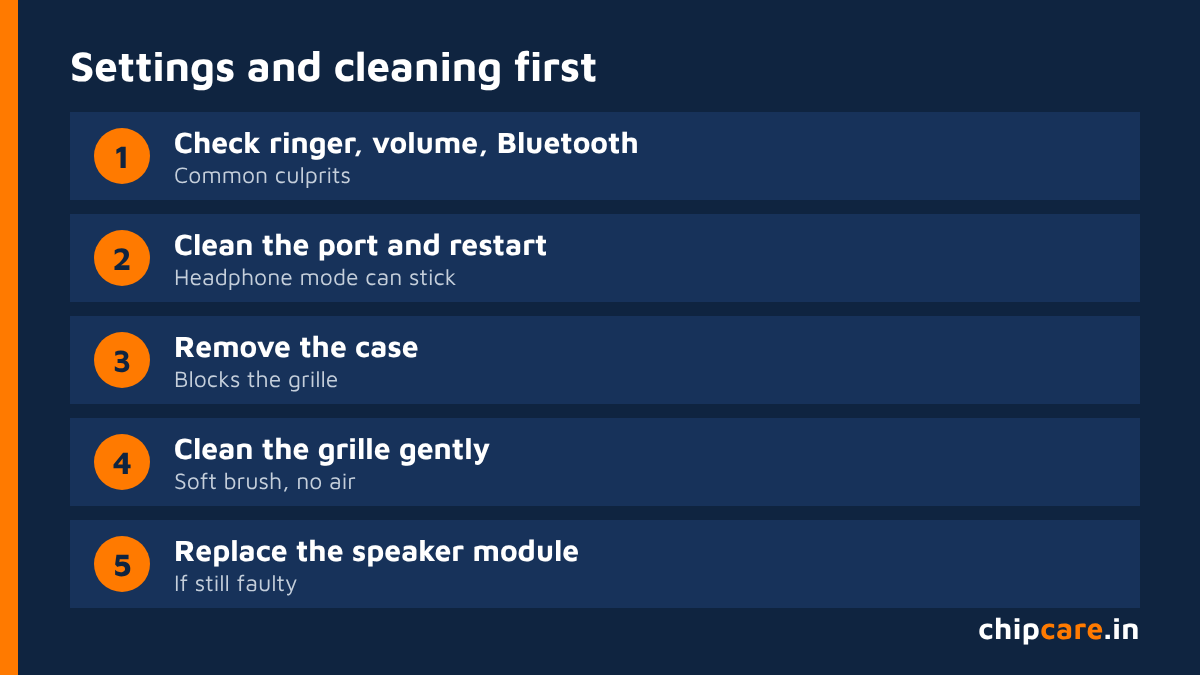
- Check the ringer switch or mode and volume.
Make sure the phone is not on silent and the volume is up. Check the media and ringer volumes separately. - Disconnect Bluetooth.
Sound may be going to a paired speaker, earbuds or a car. - Check headphone mode.
If the phone thinks headphones are connected, it will not play through the speaker. Clean the port, then restart. - Remove the case.
A case can block the grille or cover the speaker holes. - Restart and update iOS.
Software bugs can mute audio paths. - Test different sources.
Play a video, a song and a speakerphone call. If one app is quiet and the rest are fine, it is an app issue. - Clean the grille.
Use a soft, dry brush or a little sticky tack to lift lint. Do not poke with pins. - Test with headphones.
If sound is fine through headphones but not the speaker, the speaker is the suspect.
A phone that thinks headphones are plugged in will never use its speaker. Clean the port before you blame the speaker.
What the symptoms suggest
| Symptom | Likely cause | What to do |
|---|---|---|
| Quiet or muffled sound | Lint or dust in the grille; case; moisture | Clean gently; remove case; let it dry |
| Crackling at higher volume | Damaged speaker or loose connection | Test in different apps; replace the speaker |
| No sound from loudspeaker, earpiece works | Loudspeaker failure or blocked path | Clean the grille; replace the loudspeaker |
| No sound from earpiece, loudspeaker works | Earpiece failure or blocked mesh | Clean it; check after a screen repair |
| Sound only through headphones | Phone thinks headphones are connected | Clean the port; restart |
| Muffled after water exposure | Water in the speaker chamber | Let it dry; see water damage steps |
Do not use compressed air or a vacuum close to the grille. Strong air can push dust further in and tear the speaker membrane.
Water and the iPhone speaker
iPhones are water-resistant to a degree, but water can still get into the speaker chamber, especially after a splash, a swim or a drop in a puddle. The sound will be muffled until it dries. Let the phone dry in open air, face down, and avoid blasting it with heat. Do not charge it while wet. Our guide on what to do after water damage explains the safe steps, because corrosion can show up later and cause more serious faults. If the phone was repaired recently and its seal has been broken, it is less resistant than before.
When a speaker needs replacing
If a clean, dry speaker still crackles, buzzes or stays silent, and software and settings are fine, the speaker module has probably failed. This can happen after a drop, after years of loud use or after liquid exposure. On many iPhones, the loudspeaker is a separate module that sits near the charging port. You can browse our iPhone speaker range for parts by model. The earpiece is usually part of the front assembly, so the fix may involve opening the screen. Our guide to earpiece not working covers that part, and phone speaker low or crackling is a general guide for all phones.
Because the speaker sits close to the charging port, check that area too. A damaged port can affect the microphone and sometimes speaker connections. See iPhone not charging fixes and USB-C vs Lightning charging port repair.
Repair difficulty
Replacing an iPhone speaker means opening the phone, disconnecting the battery and removing a few small parts. It is a moderate job. The risks are the same as with any repair: static, a punctured battery or a damaged cable. If you plan to do it, follow the safe opening steps in our screen replacement guide, protect the board with ESD-safe habits, back up first with our backup guide and use the right tools. If the battery looks swollen, stop and read swollen battery dangers.
After the repair
- Play music at several volumes and listen for crackle or distortion.
- Test speakerphone calls and the earpiece on a normal call.
- Test the microphone with a voice note.
- Check that the ringer volume buttons and the silent switch behave as expected.
- Check that the phone does not think headphones are connected.
If the part does not sound as good as the original, ask the shop to compare it with another. Cheap speakers can be quieter or more tinny. Our guide on original vs OEM vs compatible spare parts explains how grades differ, and shops can test parts before fitting, as described in how to test phone parts before installing.
Replace an iPhone speaker
Choose the part for your iPhone model and check the warranty.
Stereo, spatial sound and what to expect
If your iPhone uses both the earpiece and the loudspeaker for stereo, one weak output can make everything sound thin or lopsided even though both work in part. Play a stereo track at a moderate volume and hold the phone sideways, then cover one grille at a time with a finger. If covering one makes the sound disappear, that output carries most of the audio. If covering the other changes little, it may be weak or blocked. This quick test helps you decide whether to clean, replace one part or ask for a full check.
Frequently asked questions
Why is my iPhone speaker muffled?
Common causes are lint in the grille, a case blocking the speaker, moisture in the chamber or a software setting. Clean the grille gently and remove the case first.
Why does my iPhone only play sound through headphones?
The phone may think headphones are connected because of debris in the port. Clean the port and restart.
How do I clean an iPhone speaker?
Use a soft dry brush or a little sticky tack to lift lint from the grille. Do not poke with pins or use strong air.
Can water damage an iPhone speaker?
Yes. Water in the chamber muffles sound and can cause corrosion later. Let it dry fully before charging.
My iPhone speaker crackles. Is it broken?
If it crackles in all apps at higher volume, the speaker may be damaged. Test different sources, clean the grille and consider replacement.
How much does an iPhone speaker repair cost?
The part is usually inexpensive. Labour depends on the model and whether the phone is opened from the bottom or the screen needs to come off.


