


A hot air station is one of the most useful and most abused tools on a repair bench. It softens adhesive on screens and back covers, lifts chips and connectors from boards and shrinks heat-shrink tubing. It is also the quickest way to melt a plastic connector, lift a neighbouring component, warp a frame or swell a battery. The difference lies in settings and habits: the right temperature, a modest airflow, the right nozzle, the right distance and patience. This guide explains how a hot air station works, how to choose settings for common jobs, how to protect the parts around your work and how to avoid the burns and fires that come from careless use.
How it works and what it does
A hot air station blows a stream of heated air through a nozzle. You choose the temperature and the airflow, and the nozzle decides how wide the stream is. Solder melts at a temperature that is high compared with what plastic, adhesive and batteries can handle, so the work is a balance. You heat the area enough to do the job and stop before other parts suffer. A small nozzle focuses heat on a small component. A wide nozzle spreads it for screens and covers. Higher airflow can blow small parts away, so use low airflow near small components. See ESD-safe repair basics for protecting boards from static, which is a separate hazard.
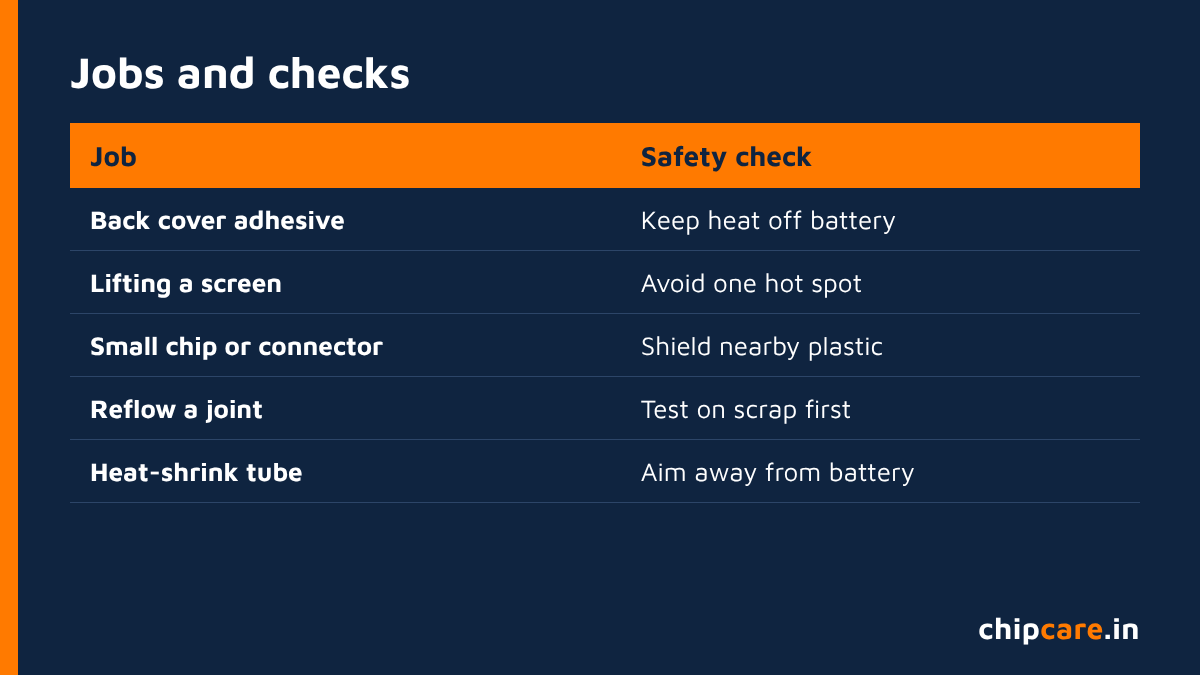
Jobs, approach and safety checks
| Job | Approach | Safety check |
|---|---|---|
| Softening a back cover adhesive | Low to moderate heat, wide nozzle, keep moving | Keep heat away from the battery |
| Lifting a screen | Use a heat pad where possible, gentle hot air if needed | Watch the OLED, do not overheat one spot |
| Removing a small chip or connector | Small nozzle, low airflow, flux, steady circular motion | Shield nearby plastic parts |
| Reflowing a loose joint | Controlled heat, short time | Test on a scrap board first |
| Shrinking heat-shrink tube | Low heat, keep away from other parts | Do not aim at a battery |
Heat is a tool you build up to. You cannot take it back once the plastic has melted.
Step by step: a safe routine
- Prepare the bench.
Clear flammables, keep a fire-safe tray nearby and have ventilation. Wear safety glasses. - Remove or shield the battery.
Take it out if you can. If not, shield it with a heat barrier, and keep the hot air well away. - Pick the nozzle.
Match the size to the job. A smaller nozzle for a small part, a wider one for a cover. - Set low temperature and low airflow.
Test on a scrap board or old phone to see how the parts react. - Add flux where needed.
For board work, flux helps solder flow at a lower temperature. - Heat in circles, not in one spot.
Keep a steady distance and keep the nozzle moving. - Check as you go.
Test with tweezers or a pick gently. Increase heat a little only if needed. - Cool down and clean up.
Let parts cool before touching, switch off and park the handle in its stand.
Protecting the surroundings
Heat spreads. A connector near your target can melt, a sticker can curl, a nearby chip can lift and an OLED panel can discolour. Use heat-resistant tape over nearby parts and a metal shield to protect plastic. Keep the nozzle moving, and work in short bursts. For screen work, a controlled heat pad is gentler than hot air on a large area, and it avoids the risk of burning the panel. See how to replace a phone screen step by step and phone back cover replacement guide.
Never aim hot air at a lithium battery. Heat can cause swelling, venting and fire. Remove the battery or shield it fully. See the swollen battery guide for emergency steps.
Personal safety
A hot air nozzle can burn skin in an instant, and the metal body stays hot after switching off. Keep fingers away from the nozzle, use the stand, and wait for the handle to cool before storing it. Flux fumes and solder smoke should be drawn away with a fume extractor or good ventilation. Keep the cord clear of the work area and never leave a switched-on station unattended. Keep a first-aid kit with a burn dressing on the bench, and know where the fire extinguisher is. See swollen battery dangers and what to do.
Choosing a station
Look for a digital temperature display, adjustable airflow, a stable stand and a range of nozzles. A unit with a stable temperature matters more than a high maximum. Cheap stations can swing in temperature and overshoot, which is worse than a lower, steady output. Keep spare nozzles and clean them. For related bench items, browse mobile repairing tools and see the best phone repair toolkit in India.
Common mistakes
- Starting at a high temperature.
- Holding the nozzle still over one spot.
- Heating next to a battery.
- Using high airflow on small parts.
- Leaving the station on and unattended.
For repair shops
Write the shop's standard settings for common jobs, test them on scrap boards and keep them near the bench. Train new staff on a practice board before live jobs, and keep a log of any heat damage so you can find the cause. See how to test phone parts before installing. For background, see the Wikipedia page on hot air guns.
Practising before live jobs
Practise on scrap boards before you touch a customer's phone. Try lifting and refitting a small connector, and watch how the solder behaves as the temperature rises. See how far the heat spreads to the surrounding parts, and how quickly the plastic softens. Practise screen removal on an old phone with a damaged display, so you learn the feel of the adhesive as it softens. A few hours of practice saves expensive mistakes, and it builds the steady, patient habit that good hot air work needs.
Keep a simple log of the settings that worked for each type of job. After a few weeks you will have a reliable list for your own station, since each unit reads temperature a little differently.
After the job: checks and cleanup
When the work is done, let every part cool before you handle it, then inspect the area for lifted pads, melted plastic or discoloured components. Test the phone fully, including charging, the screen, the cameras and the speakers, before you close it up. Park the handle in its stand until the nozzle has cooled, and keep the station away from paper and cloth. Wipe off flux residue with isopropyl alcohol so that it does not attract moisture. A tidy, cool bench at the end of the day is a safe bench at the start of the next.
Frequently asked questions
What temperature should I use?
Start low and increase slowly. The right setting depends on the job, so test on scrap first.
Can I use hot air near a battery?
No. Remove the battery or shield it fully and keep heat away.
Why do small parts blow away?
Airflow is too high. Lower it near small components.
Is a heat pad safer for screens?
Yes, it spreads gentle heat and lowers the risk of hot spots.
Do I need flux?
For board work yes. It helps solder flow at lower heat.
How do I avoid burns?
Use the stand, keep fingers clear and let the unit cool before storing.


